
Apple Silicon Mac
IQ NutCracker runs BIG and small driving models on a connected Mac, with a native app for status and monitoring.
IQ NutCracker for macOS
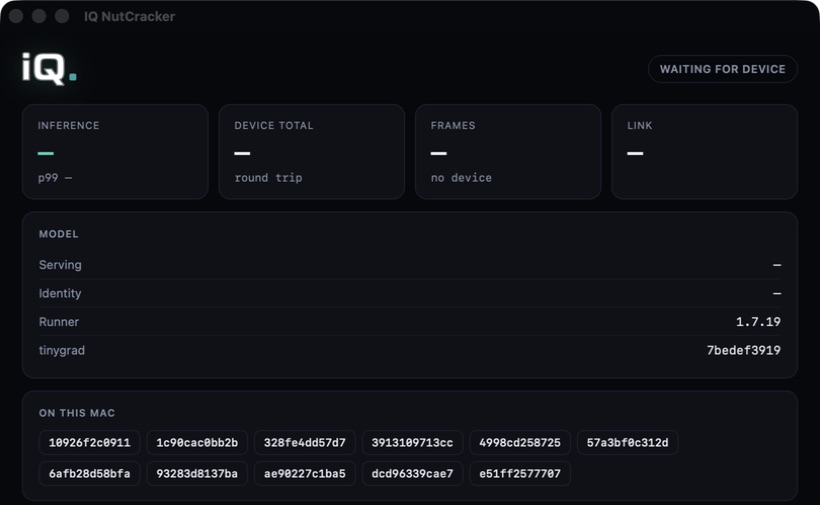
A free native Mac app for running IQ.Pilot driving models over USB 3. Choose a model on the device. See exactly how it’s running on your Mac.
Setup
Download the macOS build, open NutCracker, and keep it running.
Use a direct USB 3 data connection between the Mac and your IQ.Pilot device.
Choose a BIG or small model in your IQ.Pilot settings. NutCracker loads it on the connected Mac.
Inside the app
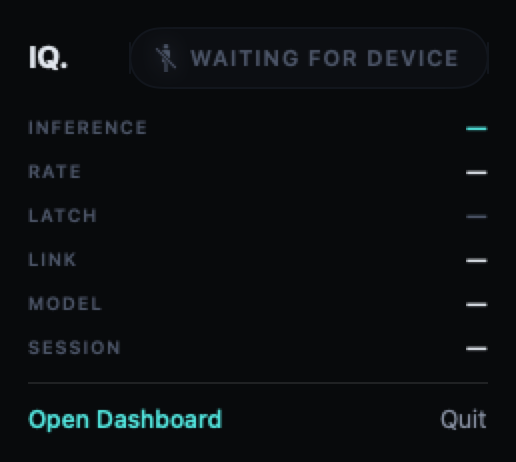
See the connected device, model state, inference timings, frame count, and USB link status. Keep the compact menu bar panel close by while the main window is closed.
Check loading, compilation, and device connection state from the dashboard.
View inference and transport measurements for your current Mac and model.
Reuse compiled models across sessions instead of compiling each time.
Compute options
IQ NutCracker runs BIG and small driving models on a connected Mac, with a native app for status and monitoring.
Supported RDNA 3 and RDNA 4 AMD USB GPUs offer an external compute path, with device-side model selection and dock tools.
Run a supported small model on IQ.Pilot hardware without connecting a Mac or external GPU.
Requirements
An Apple Silicon Mac running macOS 15 or later, a compatible device on a current IQ.Pilot build, and a direct USB 3 data cable.
Model availability and performance depend on your Mac and the installed IQ.Pilot build.

Download the latest macOS build and find update instructions.
Download for macOSSetup help